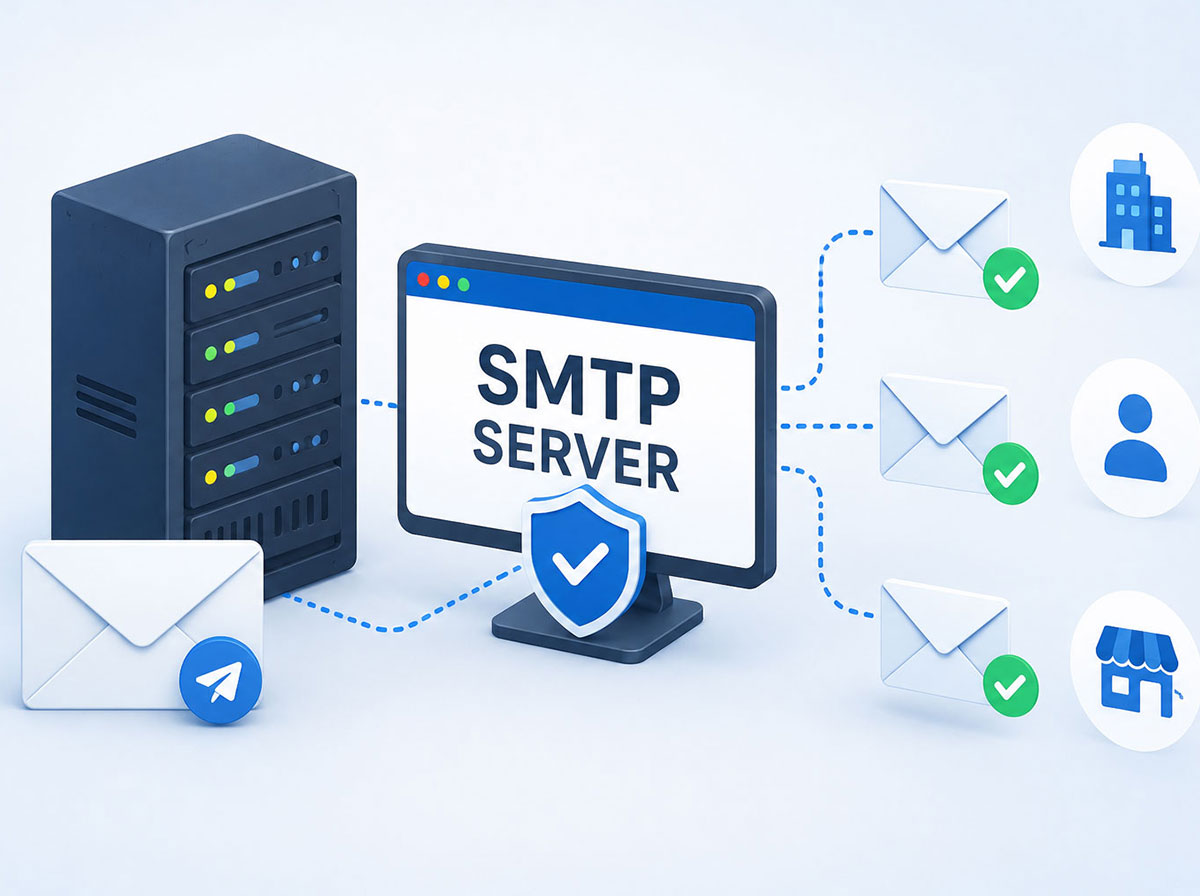
What Is an SMTP Server? A Complete Guide for Businesses
In today’s rapidly evolving digital landscape, email remains one of the most vital communication channels between businesses and their customers worldwide. You can send invoice emails, new feature upgrades, marketing campaigns, internal communication, customer updates, announcements of new features or appointment reminders. Email helps you remain in touch with your customers consistently and professionally in real time.
But have you ever thought about what happens when you press the “Send” button? Behind every successful email delivery is a technology known as the SMTP (Simple Mail Transfer Protocol) server. If you’re a business that frequently communicates with your customers, delivers digital invoices, sends weekly newsletters or resets user passwords, understanding how the SMTP system works is necessary, as it can help your business maintain your professional image, ensure email delivery and ensure important messages are delivered to customers on time.
In this comprehensive blog post, we will take a deep dive into the SMTP server, exploring how it works, why businesses worldwide require one and how opting for the right SMTP server can enhance your email communication approach.
What is an SMTP Server?
SMTP stands for Simple Mail Transfer Protocol. It is a communication protocol responsible for delivering and receiving emails from one email account to another. Have you been to a post office? Imagine SMTP is your digital post office. When you hit the “Send” button, the SMTP server receives your message after processing it. The SMTP server then identifies the recipient’s email address and drops it into their inbox.
Without an SMTP server, emails would not be sent across the internet and would stay in your system. For example, when sending a welcome email to a new customer or sharing an invoice email, the SMTP server makes sure that the email is delivered to the correct email address.
In simple words:
- You write an email.
- Press send.
- SMTP receives it.
- Identifies the recipient.
- Email gets delivered.
Mail servers and other MTAs (Message Transfer Agents) use SMTP to deliver, receive and reply to mail messages.
How do SMTP Servers Operate?
Email travels worldwide in a matter of seconds. But in reality, to ensure the email reaches the right email address safely, every email has to go through a meticulous five-step process. Let’s discuss what happens every time you hit the “Send” button.
Step 1: Create an email: Create an email using an email client, including Outlook, Gmail or a business application.
Step 2: Hitting the Send button: After you click the “Send” button, the SMTP server receives your email.
Step 3: Verify the sender: To prevent unauthorised or spam email activity, the SMTP server identifies whether the sender is authorised or not.
Step 4: Identify the recipient: After processing the email, SMTP finds the recipient’s email server and ensures that the mail is delivered to the right email address.
Step 5: Email delivery: After being forwarded to the recipient’s mail server, the recipient can access the email in their inbox.
Key Differences Between SMTP, IMAP and POP3
SMTP, IMAP and POP3 are three that are generally grouped while setting up email tools. You can easily get confused, but they handle entirely different parts of the email journey.
You can understand them by separating them into incoming and outgoing categories. SMTP is for outgoing email services, while IMAP and POP3 are both for incoming emails.
- SMTP: It is a unidirectional street pointing outwards. It moves messages from your system to the recipient address.
- IMAP and POP3: Both are responsible for incoming emails. They capture emails that someone delivers to you and display them in your inboxes.
| Feature/Protocol | SMTP server | IMAP server | POP3 server |
| Primary direction | Outgoing (sends mail) | Incoming (receives mail) | Incoming (receives mail) |
| Main Function | Transports email to the destination | Syncs mail across multiple devices | Downloads mail to one local device |
| Analogy | The Mail Delivery Truck | The Shared PO Box (Cloud) | Your Personal Home Mailbox |
To complete a communication system, you require both an outgoing partner (SMTP) and an incoming partner (IMAP/POP3). Only an SMTP server can help you send millions of emails, but you can never reply to any of them.
Why does a Business Require an SMTP Server?
Businesses heavily rely on email to communicate with their customers, partners and employees worldwide. Whether you’re sending a password reset email, order confirmation email, newsletters, important updates or invoice emails, every email needs to be delivered to the right email address safely in real time.
This is where the SMTP server comes into play. It acts as the backbone of the entire email communication channel by ensuring that every email is delivered to the right destination safely and reliably. Emails may get delayed or end up in the spam folder without a dependable SMTP server. SMTP also ensures that multiple recipients receive the email altogether; without a reliable SMTP server, it might fail.
Below are some fundamental reasons why a business requires an SMTP server.
Enhanced email delivery
Businesses using SMTP servers have a higher chance of their emails getting delivered directly into their clients’ inboxes. This facilitates the successful delivery of crucial messages, such as order confirmations, bills and updates.
Trusted transactional emails
SMTP ensures instant delivery of transactional emails without any delay. Emails like password resets, order confirmations, shipping notifications, account verification emails or newsletters are critical because customers expect these emails immediately.
Professional brand reputation
Sending emails from your business domain gives you a more professional appearance. Emails have a higher chance of being opened and trusted that originate from a verified business address.
Improve security
In the era of increasing cybersecurity threats, SMTP provides secure email communication through a reliable and end-to-end encryption protocol. Modern-day security features such as:
- Authentication protocols
- Encryption
- Spam protection
- Sender verification
Better tracking system
SMTP helps businesses understand how their emails perform. You can track important metrics, including email delivery rate, open rate, click-through rates, spam complaints and bounce rates. This helps businesses understand how their audience communicates with their emails, recognise delivery issues and improve future email campaigns.
Better customer experience
An SMTP server helps to ensure that critical emails are delivered to your customers on time, such as order confirmations, password reset emails, invoice emails and shipping updates. Smooth communication keeps customers updated, builds trust and builds a better customer experience with your business.
Scalability
With the growing business, email volume also grows. A reliable SMTP server handles large email volumes very efficiently without affecting performance. You may need to send:
- Thousands of marketing emails
- Customer notifications
- Automated responses
- Internal communications
SMTP (Simple Mail Transfer Protocol) is not a technical tool — it is an essential part of your business for maintaining smooth, reliable and professional business communication.
SMTP Server Security
Email is one of the most efficient and widely used communication channels for businesses worldwide, making it very prone to cybersecurity threats. Emails can be intercepted, altered or used for spam and phishing attempts if proper security precautions aren’t taken. Sensitive company data is safeguarded, client confidence is upheld and secure email delivery is guaranteed through a secure SMTP server. Several security features built into contemporary SMTP servers protect senders and recipients from possible dangers.
Authentication Protocols
Authentication helps businesses verify that emails are being delivered from an authentic source. To enhance both security and deliverability, protocols like SPF, DKIM and DMARC work simultaneously, preventing email spoofing and unauthorised use of your platform.
Spam and Malware Protection
Spam filtering and virus detection technologies are frequently included in SMTP servers. These features lessen the possibility of cyberattack threats reaching staff members or customers, detect suspicious emails and prevent the loss of critical information.
Email Encryption
Encrypting emails is essential for protecting sensitive data as it moves from sender to recipient. Email data may potentially be intercepted and viewed by cyber attackers during transmission if encryption isn’t used. The content of an email is protected while it travels across the internet thanks to technologies like TLS (Transport Layer Security), which provide a secure connection between mail servers. This is particularly important for businesses that consistently exchange sensitive data through emails, including login credentials, financial information or customer information. Encrypting emails helps businesses reduce data breaches, develop customer trust and comply with security regulations.
Access Control and Monitoring
Businesses have greater control over who can send emails through their email ecosystem with a secure SMTP server. Businesses can ensure that only authorised and reliable users, applications or systems have permission to send emails to customers or clients by putting user authentication and permission-based control in place. This significantly lowers the possibility of unreliable access, harmful email activity and account misuse.
Modern SMTP servers include detailed activity logs and real-time monitoring abilities that help businesses track email-sending behaviour in addition to access restrictions. These elements facilitate the detection of failed login attempts, the identification of irregular patterns and the prompt response to possible security concerns. Further, continuous monitoring helps businesses in supporting monitoring, determining email delivery issues and guarding their sender image. Access control and monitoring work together to make email safer, protecting confidential data while guaranteeing dependable and secure communication for enterprises.
By practising these security measures, organisations can safeguard their email communications, build up customer confidence and minimise the potential threat of data breaches and email-based threats.
Types of SMTP Servers
Not all simple mail transfer protocol (SMTP) servers are tailored for the same purpose. Based on their email volume, size and communication demands, businesses can opt for an SMTP server matching their requirements from different types of SMTP servers. Knowing the available options can help you select the right option for reliable business growth and email delivery.
Let’s discuss the types of SMTP servers one by one with their advantages and limitations:
Shared SMTP Server
This is one of the most commonly chosen SMTP servers by small businesses and startups, which have low to medium email-sending requirements. This can be used by multiple users or businesses on the same server infrastructure.
Advantages:
- Small businesses and startups can afford it.
- Easy to set up and manage.
- No technical expertise required.
- Best suited for businesses with low to moderate email volumes.
Limitations:
- Email delivery rate may be impacted by a shared sender image.
- Businesses will have limited access to server settings and their configurations.
- The performance of the server may vary as it depends on other users.
- Email can get flagged if another user participates in poor email practices.
Dedicated SMTP Server
The dedicated SMTP server is ideal for businesses sending a large volume of marketing or transactional emails. It is exclusively allotted to a single business. Organisations have complete access and control over the server’s email sending ecosystem and reputation, along with server controls and its configurations.
Advantages:
- Businesses have greater control over server policies and email settings.
- Enhanced email delivery rate with sender reputation.
- Improved privacy and security.
- Great performance for high-volume email campaigns.
- Businesses with large transactional or marketing email volume can rely on this server.
Limitations:
- Expensive compared to a shared SMTP server.
- Technical expertise is required for setup and management.
- Sender’s reputation is the core responsibility of businesses only.
Cloud-Based SMTP Server
Due to their flexibility and reliability, cloud-based SMTP servers are gaining popularity among modern businesses. This server operates only through cloud infrastructure.
Advantages:
- Scales easily as company email requirements increase.
- Reliable email delivery and high uptime.
- Requires little maintenance and infrastructure administration.
- Easy application integration and rapid deployment.
- There are frequently pay-as-you-go pricing alternatives available.
Limitations:
- Increasing email volumes could result in an increase in monthly expenses.
- Less customisation than self-managed dedicated servers.
- Reliance on the infrastructure and policies of the service provider.
On-Premises SMTP Server
Big companies with strict compliance, data control requirements and security can have this server. As the name suggests, an on-premises SMTP server is managed and hosted on a company’s premises.
Advantages:
- Businesses have complete control over server data and its configuration.
- Enhanced security and privacy management.
- Adaptable to certain business requirements.
- No reliance on third-party providers.
Limitations:
- The setup and maintenance costs are high.
- Demands dedicated IT expertise and resources.
- Compared to cloud-based solutions, scalability can be more difficult.
- Ongoing maintenance duties for software and hardware.
Your budget, email volume, security goals and business objectives all play a crucial role in opting for the best-suited SMTP server. Shared or cloud-based SMTP servers could be suitable for small businesses or startups, but dedicated or on-premises systems that provide more control and performance are frequently advantageous for larger businesses.
Should Businesses Run Their Own SMTP Server or Choose a Third-Party Service?
Businesses often have two options when configuring an SMTP server: either run their own SMTP server or employ a third-party service provider. You can send emails to customers using either method, but which one is best for you will depend on your business size, email traffic, budget and technical capabilities. Knowing the differences can help you make an informed decision by avoiding future potential email delivery challenges.
Employing your own SMTP server gives you complete command over your email infrastructure, but there will be some additional responsibilities involved. However, third-party SMTP services handle the majority of the technical work, letting businesses concentrate on communication rather than server management. For startups and small businesses, a third-party SMTP service provider can be a cost-effective and convenient solution.
Running Your Own SMTP Server
Companies that require complete command over their email ecosystem can employ and manage their own SMTP server.
Benefits
- Complete control over email settings and configurations.
- More choices for personalisation and versatility.
- Total control over your email information.
- No dependency on third-party service providers.
Challenges
- Demands consistent maintenance and technological expertise.
- More expensive infrastructure and setup.
- Responsible for updates, security and monitoring.
- It can be more difficult to manage deliverability.
Using a Third-Party SMTP Service
They offer a ready-to-use email ecosystem, facilitating email delivery and management.
Benefits
- Quick and easy setup.
- Greater deliverability rates and dependability.
- Built-in monitoring and security features.
- Handles easily as email volume grows.
- Less maintenance and technical expertise are required.
Challenges
- Monthly or usage-based subscriptions.
- Minimal control over server settings and configurations.
- Dependency on the service provider’s infrastructure and policies.
A third-party SMTP service offers an adequate combination of reliability, scalability and ease of use for the majority of startups and small to medium-sized businesses. However, the control and customisation provided by their own SMTP server could be preferred for companies with specific demands or stringent compliance requirements.
Conclusion
Even though an SMTP server operates in the background, it has a huge impact on business communication. SMTP servers are essential to contemporary business operations, from sending transactional emails and marketing campaigns to enhancing security and guaranteeing dependable communication.
A reliable SMTP server may help guarantee that your messages reach the right people at the right time, whether you’re a small firm trying to increase email reliability or a growing enterprise handling thousands of customer interactions.
Effective communication is crucial in the cutthroat digital environment of today. Purchasing the best SMTP server is a business choice that promotes long-term growth, brand reputation and consumer trust in addition to being a technical one.
Ready to send campaigns that convert?
Try ASP OL Media free for 14 days — no credit card required.