Automate. Engage. Convert.

Email Automation Services

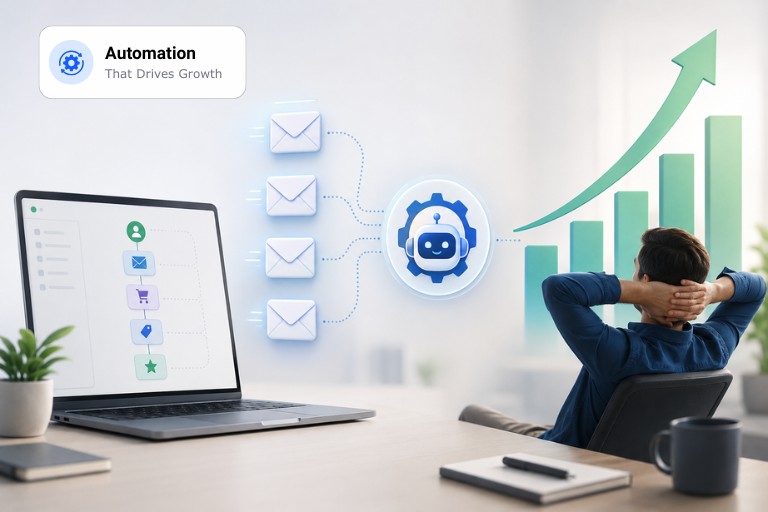
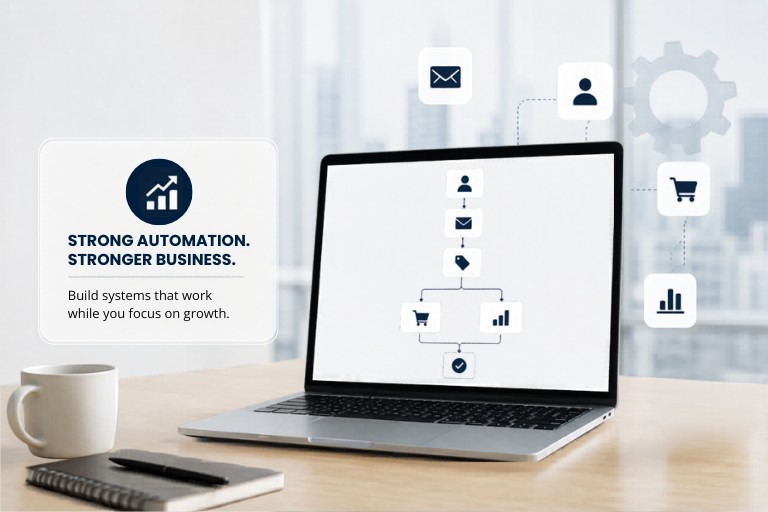
Automate email workflows that respond to customer behaviour, send timely follow-ups, nurture leads and keep the conversation going without your team having to send every message manually.

Automated Email Marketing & Campaign Management
Email Marketing Campaigns Bulk Email Services SMTP Server with IP Rotation Email Automation Email Deliverability Management Analytics and Reporting Email List Management and Growth Email Design and Content Creation
Turn Customer Actions Into Timely Email Communication

Turn Customer Actions Into Timely Email Communication

A subscriber signs up at 10:42 AM. A prospect downloads a guide. A customer adds a product to the cart and then leaves. There is someone who used to open every email but has been inactive for the last two months.

Each action tells you something. The problem is that your team can’t watch every subscriber and send a relevant email at the right moment. Email automation solves that operational problem by connecting customer actions with predefined email workflows.

At ASP OL Media, we build and manage email automation systems around your audience, sales process, customer journey and business goals. We plan the workflow, write the emails, configure triggers and conditions, test each path and monitor performance after launch.

Our goal is not to send more emails but to make each automated message useful enough to deserve its place in the customer’s inbox.

Our Email Automation Process

What Is Email Marketing Automation

What Is Email Automation?

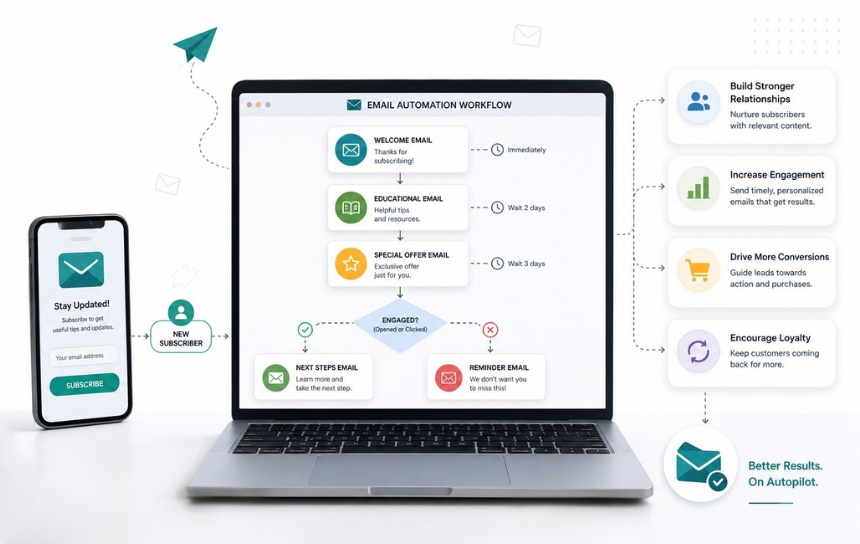
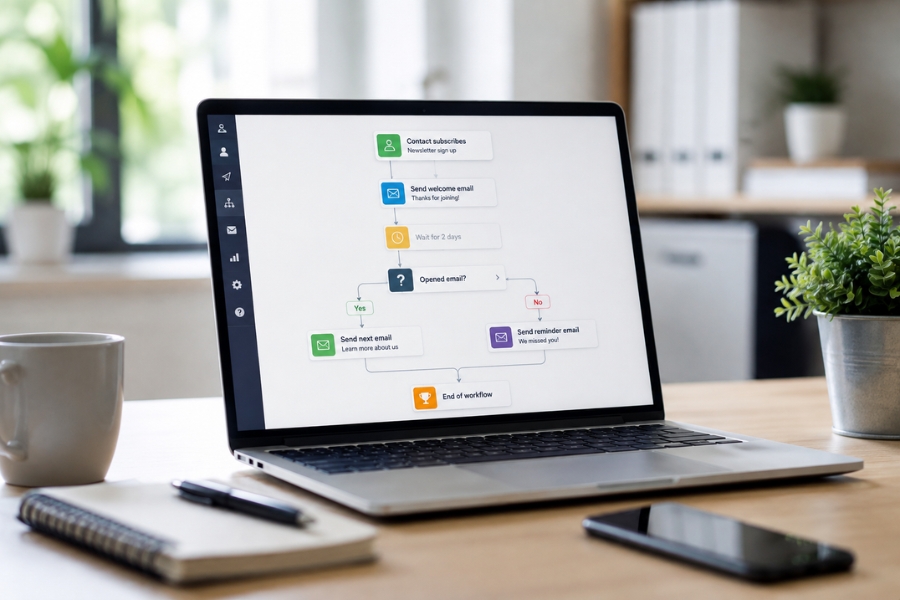
Email automation or email marketing automation uses triggers, conditions, timing rules and subscriber data to send emails without requiring someone to manually schedule every message.

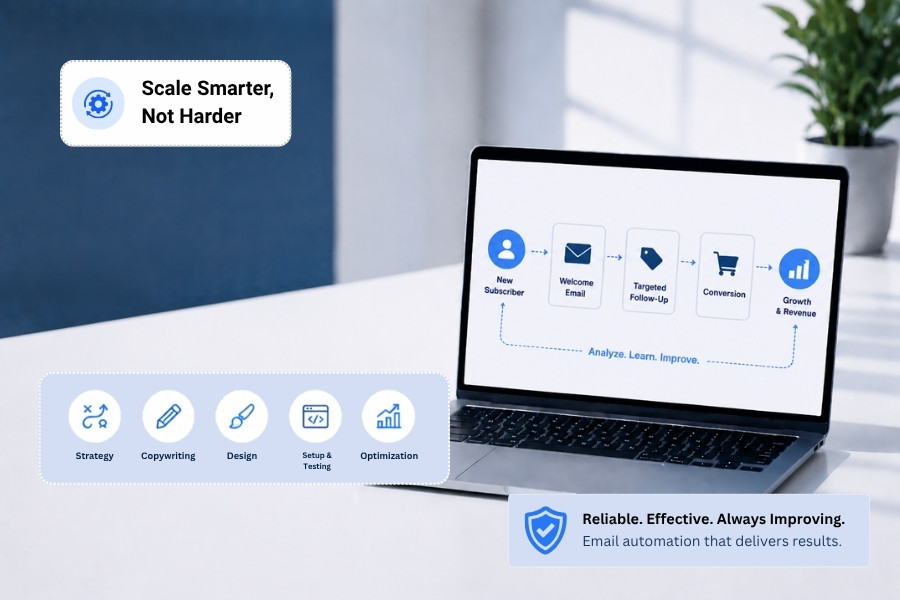
A trigger starts the workflow. The trigger could be a form submission, purchase, link click, website action or a date or period of inactivity. For example:

  • A new subscriber receives a welcome email immediately after signing up.
  • A lead who downloads a guide enters a follow-up sequence.
  • A shopper who abandons a cart receives a reminder.
  • A customer receives post-purchase information after an order.
  • An inactive subscriber enters a re-engagement campaign.

The workflow can also branch based on what the subscriber does next. Someone who clicks an offer may receive a different email from someone who ignores it. That is an important distinction to keep in mind. Good automation responds to behaviour instead of treating every subscriber the same way.

Why Do Businesses Use Email Automation?

Why Do Businesses Use Email Automation?

Manual email marketing works when the number of campaigns and customers remains manageable. It becomes harder when the same follow-ups need to happen every day.

Imagine a business receiving 100 new leads in a week. Each lead needs an acknowledgement, useful information, follow-up communication and perhaps a sales invitation. Sending those messages manually creates a repetitive workload and leaves room for missed follow-ups.

Automation provides a defined structure for that process and improves timing. A welcome email sent immediately after sign-up is more relevant than the same message sent a few days later. A cart reminder has more context when it follows an abandonment shortly after. A re-engagement message makes sense after a period of inactivity.

The workflow handles the timing while your team focuses on work that requires judgement and direct customer interaction.

Email Automation Workflows We Build

Email Automation Workflows We Build

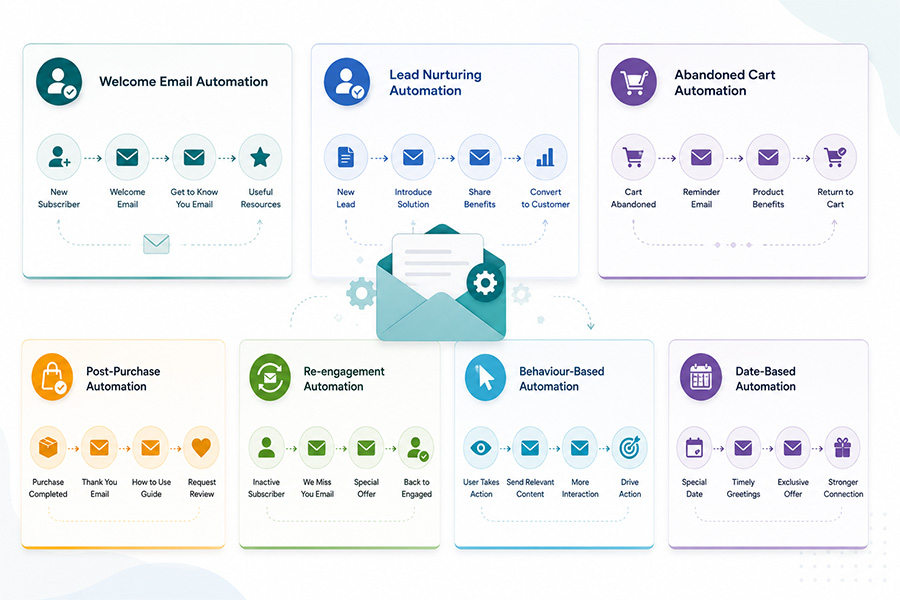
Automation can support different parts of the customer journey. We select workflows based on how your business acquires, converts and retains customers.

The welcome stage is when new subscribers are most likely to pay attention. We build welcome sequences that introduce your business, remind subscribers why they signed up, explain what they can expect and point them toward something useful.

For an e-commerce business, that might mean helping them find products they’re interested in. For a B2B company, it could be another useful resource or an invitation to book a consultation.

Not every email needs to lead to a sale. The goal is to make a good first impression, provide something useful and give subscribers a reason to open the next email.

A new lead isn’t always ready to speak with sales. Some prospects need product information. Others need answers to common questions before they feel comfortable making a decision. A lead nurturing workflow keeps the conversation moving without asking your sales team to follow up manually with every contact.

We build the emails around what the prospect actually needs at that point. That could be answering a question, explaining how the service works or sending them something useful. If they look ready to proceed, we can mention an offer, but not force it too soon.

Lead nurturing also works well with segmentation. A prospect interested in one service shouldn't receive the same sequence as someone researching another.

Shopping cart abandonment creates a clear automation opportunity. A customer has already shown purchase intent by adding products to a cart. If they leave without completing the order, an automated sequence can remind them about what they left behind.

The timing matters. So does the message. We create abandoned cart workflows that can remind customers about the products, answer common concerns, reinforce relevant information and provide an incentive when your business strategy supports it.

The sequence should help the customer make a decision. It shouldn’t feel like repeated pressure.

The relationship with a customer doesn’t stop when payment is completed. Post-purchase emails can be used to confirm the order, clarify the next steps, provide product information, solicit feedback or promote related products and services.

At this stage, special attention is required for businesses that rely on repeat purchases. A structured follow-up can bring customers back at the right time, rather than waiting for them to remember your brand.

The workflow can also separate first-time buyers from returning customers. Their needs and buying history aren’t necessarily the same.

Most established email lists contain inactive subscribers. Some people stop opening emails because their interests change. Others receive too many messages. Some simply haven't found a recent email relevant enough to open. Continuing to send the same campaigns to inactive subscribers can weaken your engagement data and affect list quality.

We build re-engagement workflows that give inactive contacts a reason to respond. The sequence may use different messaging, a new offer, a preference update or a direct request to stay subscribed.

If a subscriber remains inactive, the workflow can help identify that contact for further list management rather than allowing inactive addresses to remain in every campaign indefinitely.

This is where automation becomes more specific. A subscriber visits a pricing page. A customer clicks a particular product category. A prospect repeatedly interacts with content about one service. These actions can provide useful signals about interest.

We can use supported behavioural triggers to create follow-up workflows around those signals.

For example, someone who repeatedly engages with content about a specific service may enter a more relevant sequence. A customer who purchases one product may later receive information about a related product. The purpose is to make the next email relevant to what the subscriber actually did.

Some communications depend on a known date, not a customer action. Examples include renewal reminders, membership anniversaries, subscription dates, appointment-related communication, birthdays and scheduled follow-ups.

Once the required date and rules are configured, the system can send the appropriate message without your team needing to maintain a daily reminder list.

Automation Built Around Your Customer Journey

Automation Built Around Your Customer Journey

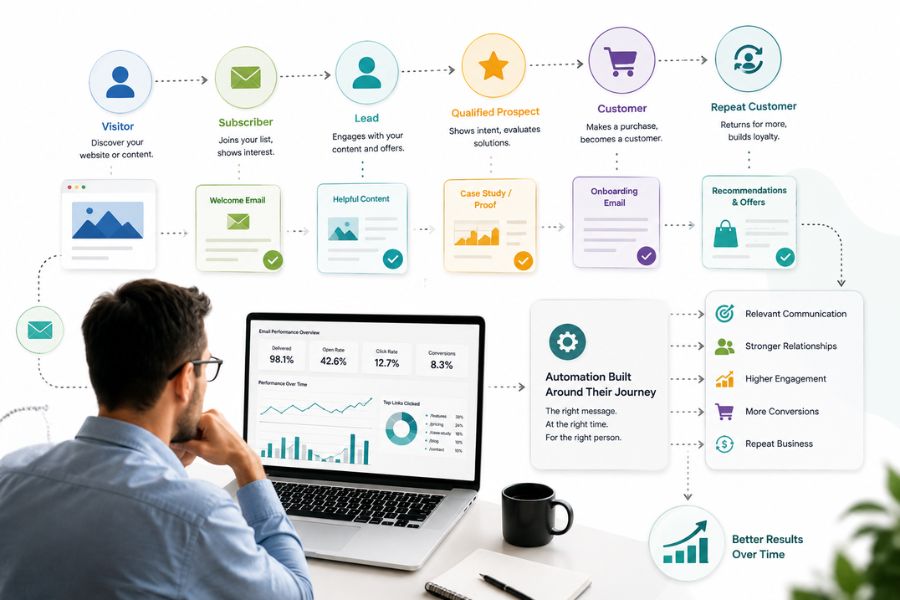
We don’t begin by choosing a template and adding your company name. First, we look at how people enter your database and what happens after they join. A typical customer journey might include:

Visitor – Subscriber – Lead – Qualified Prospect – Customer – Repeat Customer

You must communicate differently at each stage. A new subscriber may need education, a qualified prospect may need proof and a clear next step, a new customer may need onboarding and a repeat customer may respond better to product recommendations or loyalty communication.

We map these stages before building the workflows. That helps prevent a common automation problem: subscribers receiving emails that don’t match their current relationship with the business.

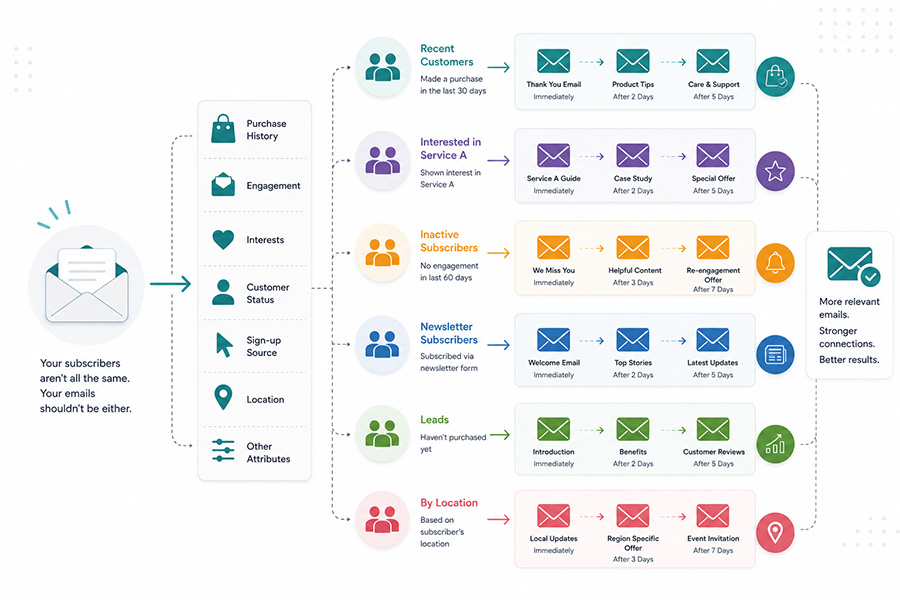
Segmentation Makes Automation More Useful

Segmentation Makes Automation More Useful

Automation doesn't mean sending the same sequence automatically to everyone. We use segmentation to separate subscribers according to information that actually affects communication. Depending on your business and available data, segments can be based on purchase history, engagement, interests, customer status, sign-up source, location or other relevant attributes.

A customer who has already purchased shouldn't receive a lead-generation email asking them to become a customer.

Similarly, someone who has shown interest in a specific service may need different information from someone who has only subscribed to your general newsletter.

The more useful the segmentation, the more control you have over the customer journey.

Email Automation Copy and Design

Who Email Automation Copy and Design

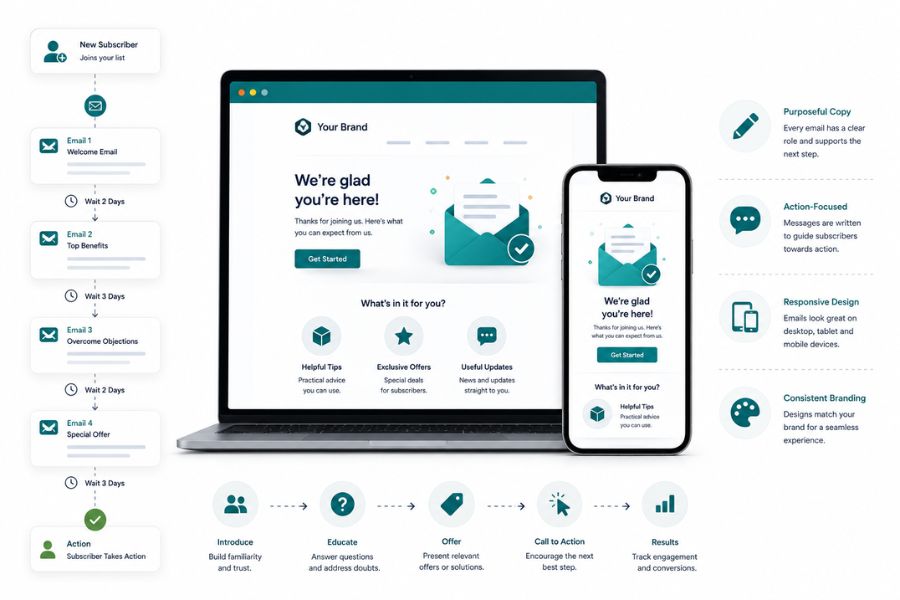
Automation still needs good writing. A technically correct workflow can underperform if the emails are vague, repetitive or poorly timed. We write subject lines and email copy around the action that each message needs to support.

Every email gets a defined role. One message may introduce the company. Another may answer a common objection. A later email may present an offer. Another may ask the subscriber to take a specific action.

We also create responsive email layouts so automated messages remain usable across desktop and mobile devices. The copy and design should feel like part of the same brand, even when the emails are triggered automatically.

Building and Testing the Automation Workflow

Building and Testing the Automation Workflow

A workflow looks good on paper, but in practice it can still go wrong. A subscriber can qualify for two sequences at the same time. A trigger might fire too early. A link could send people into the wrong segment. There may be a condition that is preventing the next email from being sent.

We test the workflow before launch. That includes checking triggers, delays, conditions, links, segmentation rules, email rendering, unsubscribe behaviour and different subscriber paths.

For workflows with multiple branches, we test each relevant route rather than checking only the first email. This matters because an automation system can run for months. A small configuration error can repeat thousands of times if nobody catches it.

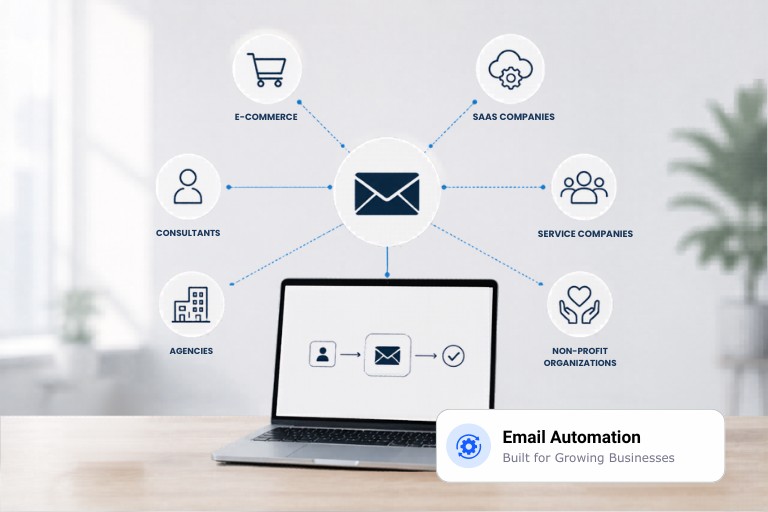
Email Automation for Different Business Models

Email Automation for Different Business Models

Automation needs to match the way your business sells.

E-commerce

E-commerce businesses can use automation for welcome emails, cart recovery, order follow-ups, product recommendations, review requests and re-engagement.

B2B Companies

B2B businesses often have longer buying cycles. Lead nurturing can provide useful information while prospects move from initial interest towards a sales conversation.

SaaS Businesses

SaaS companies can automate onboarding, product education, trial reminders, feature communication, upgrade prompts and inactive-user campaigns.

Service Businesses

Consultants, agencies, professional services firms and other service businesses can use automation to follow up on enquiries, nurture leads, support onboarding and reconnect with previous customers.

Membership and Subscription Businesses

Recurring-revenue businesses can automate renewal reminders, onboarding communication, usage-related messages, retention campaigns and re-engagement workflows.

The workflow changes with the business model. The underlying principle stays the same: customer behaviour should determine relevant communication.
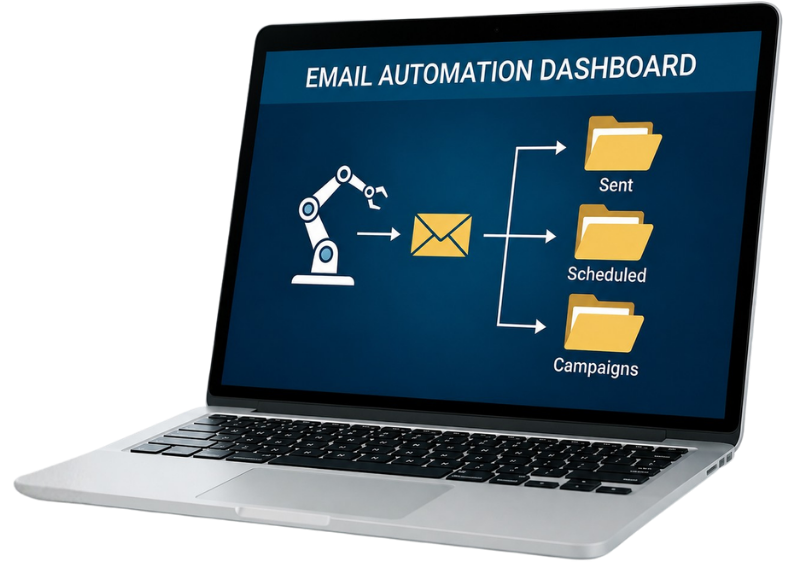
stronger-automation-stronger-business-asp-ol-media

Automation and Deliverability Work Together

A good workflow still needs to reach the inbox. Automated sequences can generate consistent sending activity, so list quality, authentication, engagement and sending practices need attention. ASP OL Media also provides email deliverability management covering areas such as SPF, DKIM, DMARC, domain health and sending infrastructure.

We can therefore consider automation as part of a wider email programme rather than treating it as an isolated technical setup.

That connection matters when an automated workflow begins sending at higher volumes. The system needs sensible audience rules and a clean list alongside the automation logic.

Why Work With ASP OL Media for Email Automation?

Why Work With ASP OL Media for Email Automation?

ASP OL Media focuses specifically on email marketing rather than treating email as one small part of a wider digital marketing package. Its service range includes campaign management, automation, segmentation, deliverability, email design, analytics and list management.

For automation projects, that wider email expertise matters.

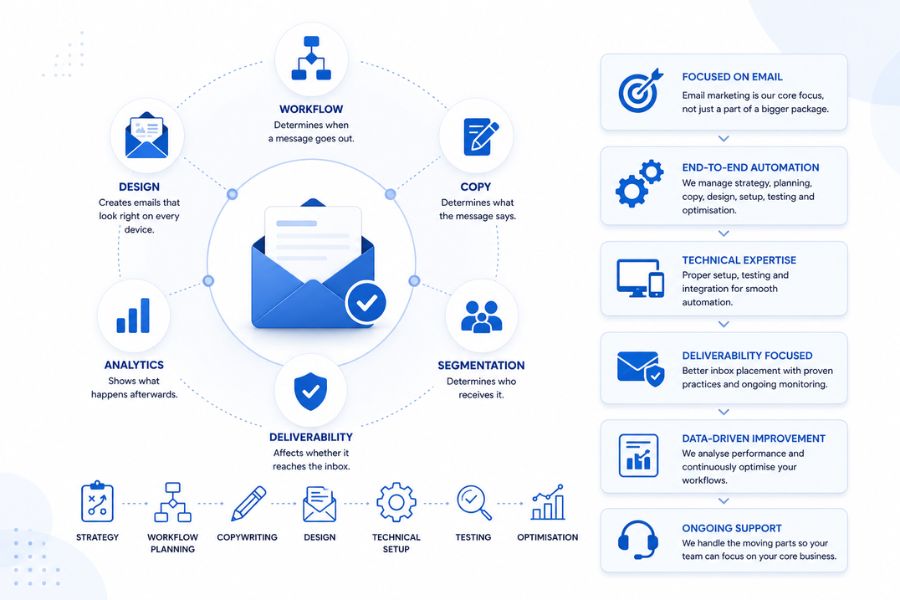
The workflow determines when a message goes out. The copy determines what the message says. Segmentation determines who receives it. Deliverability affects whether it reaches the inbox. Analytics shows what happens afterwards.

These parts need to work together.

We handle strategy, workflow planning, copywriting, design, technical setup, testing and ongoing optimisation so your automation doesn’t become another system your team has to manage alone.

Build Email Workflows That Keep Working

Build Email Workflows That Keep Working

Your customers don’t all act at the same time. They don’t have the same questions, interests, buying cycles or level of engagement either.

Your email system should account for those differences.

ASP OL Media can build automated workflows that respond to sign-ups, customer actions, purchases, inactivity, dates and other meaningful triggers. The result is a structured email programme that keeps communication moving without requiring your team to manually send every follow-up.

Ready to automate your email marketing? Talk to ASP OL Media about building workflows around your customer journey.

Start Today

Ready to Supercharge
Your Email Marketing?

Join 10,000+ Indian businesses using ASP OL Media to reach more customers, drive more sales, and grow faster.

14-day free trial . No credit card . Cancel anytime