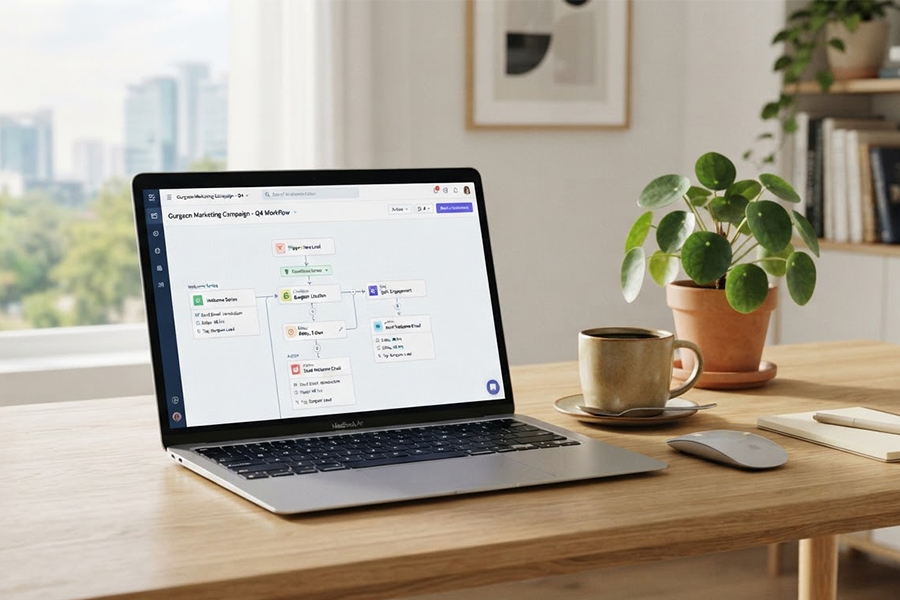
Send promotional emails, newsletters, customer notifications and customised campaigns without having to handle each message manually. ASP OL Media provides bulk email services for businesses in Gurgaon that need to manage growing contact lists.
Once a contact list grows, sending emails from individual mailboxes stops being practical. Marketing teams are often juggling several campaigns, multiple audience groups and bounced addresses at once. A dedicated bulk email setup handles the sending and brings everything under one system.
We handle the infrastructure, so your team can focus on the campaign. Our work covers SMTP integration, domain authentication, contact list cleaning, sender reputation management, campaign scheduling and performance monitoring.
The right setup depends on what you send. A company that sends one newsletter a month has very different needs from an e-commerce business dispatching order notifications all day. Promotional campaigns, transactional emails and automated sequences each need their own configuration.
Email is one of the easier channels to measure. With tracking enabled, campaign reports cover delivery status, bounces, opens, clicks and unsubscribes. These figures give your team something to act on beyond sales enquiries or website traffic alone.
The technical layer matters as well. SPF, DKIM and DMARC authentication can be set up for your sending domain, and contact lists are cleaned before campaigns are sent. We also offer dedicated sending infrastructure for businesses with higher, consistent volumes.
Picking a bulk email provider involves more than counting the numbers in a plan. The sending infrastructure, domain authentication, list management, reputation handling and technical support all shape how reliably the system performs.
The right fit depends on your volume and what you send. A straightforward newsletter programme has very different requirements from an e-commerce setup running transactional and promotional emails side by side.
If most of your recipients are in India, having infrastructure and support operations in the country can be convenient. It should not, however, be treated as a guarantee of faster delivery.
The physical location of a server does not decide whether Gmail, Outlook, Yahoo or another recipient provider accepts or filters an email. Other factors, including sender reputation, authentication, list quality, complaints and recipient behaviour, affect deliverability more directly.
Technical support, billing, data handling and the ability to accommodate your expected sending volume are all relevant when choosing an email service.
A large sending limit is of little use if legitimate messages are repeatedly rejected or filtered. Before choosing a provider, ask how it handles bounced addresses, spam complaints, authentication and sender reputation.
SPF, DKIM and DMARC form an important part of the domain authentication setup. They provide receiving mail servers with information about which systems are authorised to send email and whether a message has been altered or fails the domain's authentication policy.
Deliverability is broader than delivery. Delivery refers to the receiving server accepting the message. Inbox placement concerns where that accepted message is placed, such as the inbox, spam folder or another category.
No bulk email provider can guarantee inbox placement. Gmail, Outlook, Yahoo and other mailbox providers make their own filtering decisions based on their systems and the signals they receive from senders.
A dedicated IP gives a business its own sending IP rather than sharing that IP with other senders. This can make sense for organisations with consistent, higher-volume email requirements.
It is not necessary for every sender. A small company sending occasional newsletters may have no reason to use a dedicated IP. For a business sending large volumes on a regular basis, however, having separate sending infrastructure can make reputation management easier.
A new dedicated IP also needs to be warmed up. Sending a very large volume immediately from a new IP can create problems. The sending volume should be increased gradually while bounce rates, complaints and other signals are watched.
Domain reputation still matters even when a dedicated IP is used. Authentication, list quality and sending behaviour continue to affect how recipient providers handle messages.
A/B testing gives marketers a way to compare two versions of an email rather than guessing which one will perform better.
You might test two subject lines, different email copy or alternative calls to action. Change one variable at a time so the results can be compared properly.
For a promotional campaign, one group could receive one subject line while another group receives a second version. The resulting open and click data can then be reviewed before deciding which version to use for the rest of the audience.
A/B testing isn’t just for subject lines. You can also test audience segments, content and sending times when the campaign setup and audience size make the test useful.
When a transactional email fails to send, or a campaign misses its scheduled time, the damage is immediate and not easy to undo.
Support should therefore cover more than general account queries. Someone managing bulk email may need help checking SMTP settings, authentication records, sending configuration or deliverability problems.
ASP OL Media provides technical assistance for these areas, along with campaign configuration and troubleshooting.
An IT company in Cyber City may need automated onboarding and product emails. An e-commerce business in Udyog Vihar has a different mix, with promotional campaigns often running alongside order confirmations.
ASP OL Media configures the email setup around the type of communication, audience and expected volume. This may include authentication, list management, audience segmentation, campaign setup, automation, reporting and technical support.
A large contact database does not mean every contact should receive every email. Segmentation makes it possible to send information to the people for whom it is relevant.
Take a retailer with customers around Golf Course Road and Sohna Road. A local offer may be useful to those customers but irrelevant to the rest of the database. Other segments may be based on previous purchases, customer type, interests or interactions with the company.
Good segmentation depends on good contact information. If addresses, locations or customer preferences are outdated, the campaign will be working with the wrong information. List management needs to happen throughout the process, rather than only after a campaign performs.
Email volume often increases during product launches, festive promotions, registrations and major announcements. Sending to 10,000 contacts calls for a different plan from a regular newsletter going to a smaller list. Before increasing the volume, check the infrastructure, sending schedule and existing reputation history.
This is particularly important when an organisation is moving from occasional email to regular high-volume sending. A controlled increase gives the sending domain and IP time to build a consistent sending history.
Campaign reporting gives you a record of what happened after an email was sent. Depending on the tracking setup, reports may show delivery status, bounces, opens, clicks and unsubscribes. Comparing these figures across campaigns can reveal changes worth testing.
For a retailer, subject lines may have the biggest effect on opens. A SaaS company might care more about clicks from a product onboarding email. The useful metric depends on the purpose of the message.
Some emails follow a predictable sequence, so there is little reason to send each one manually.
Welcome emails, abandoned cart reminders and order-related messages are common automation points for e-commerce businesses. IT and SaaS companies often use similar workflows for account onboarding, product education, renewals and follow-ups after a demo request.
Registration, purchase or enquiry events can trigger the relevant workflow. Once the rules are in place, the system handles when each message should be sent.
Bulk email also involves technical work that may fall outside a marketing team’s normal responsibilities.
SMTP configuration, DNS records, authentication, list cleaning and reputation issues can all require specialist attention. When something stops working, the first step should be finding the cause rather than simply sending the campaign again.
We assist with campaign configuration and technical troubleshooting, including the sending infrastructure behind the campaign.
Sender reputation is affected by more than the IP address. Domain reputation, authentication, bounce rates, spam complaints, list quality and recipient engagement all contribute to how mailbox providers assess incoming messages.
We can help with SPF, DKIM and DMARC configuration, bounce handling, contact list management and complaint monitoring. These practices reduce avoidable problems, but they do not give any provider control over the final inbox decision made by Gmail, Outlook, Yahoo or another recipient service.
A campaign should not be judged only by how many emails were sent. Delivery figures can highlight technical problems, while bounce rates may point to list-quality issues. Opens and clicks tell you how recipients interacted with the message. A rise in unsubscribes may signal that the audience or content needs another look.
Compare the results with previous campaigns to put them into context. If the data points to a problem or an opportunity, you can test subject lines, audience groups, email content or sending times.

ASP OL Media supports several types of bulk email campaigns. The right content and sending setup depend on what the email needs to achieve.
Promotional emails are used for product launches, discounts, seasonal offers and limited-period sales. Retail and D2C companies can target selected customer groups instead of sending the campaign to their entire database.
Transactional emails are triggered by an action or event. Password resets, OTPs, order confirmations, payment receipts and account verification messages are common examples. Recipients generally expect these messages, so the sending system needs to handle them reliably.
Drip campaigns send a series of messages over a set period. For example, a new subscriber could receive a welcome email first, followed by product information, a guide or a follow-up a few days later. Registration, subscription or an enquiry can trigger the sequence automatically.
Newsletters work well for regular communication with customers and subscribers. Depending on the audience, they might include company updates, product news, articles, educational material or selected promotions.
Survey and feedback emails give businesses a way to collect responses after a purchase, service interaction or event. The feedback can reveal recurring complaints, customer preferences and areas that need attention.
Real estate companies often need different email communication for different types of prospects. New project announcements, price or inventory updates, site-visit invitations and follow-ups can all form part of the campaign plan. Where the database contains the necessary details, investors, residential buyers, commercial prospects and NRI contacts can be kept in separate segments.
IT and SaaS companies often need regular communication with prospects and customers. Product announcements, demo invitations, onboarding emails, webinar registrations and follow-ups may each require a different campaign or automated sequence.
Healthcare providers, including clinics, hospitals and diagnostic centres, may use email for appointment reminders, health check-up announcements, service updates and newsletters. The type of message and the recipient should determine whether email is an appropriate channel.
Travel and hospitality businesses often have both promotional and transactional emails to manage. Tour packages, seasonal offers and hotel deals may go out as marketing campaigns, while booking confirmations, payment receipts and post-stay feedback requests serve a different purpose.
EdTech and coaching institutes often communicate with several groups at different stages of the student journey. Admission information, course announcements, webinar invitations, examination details and result-related updates can each have a different audience. Students, parents, alumni and other groups can be kept in separate lists when they need different information.
A bulk campaign starts before the email template is prepared. The sending domain, infrastructure, contact list and purpose all need to be considered.
We first discuss the emails you send, your audience, expected volume and any problems experienced with previous campaigns.
If messages have been rejected, bounced or filtered, we review the relevant records to identify possible causes. This may involve checking the sending domain, authentication records, IP reputation, contact list quality and earlier campaign results.
The findings help narrow the problem down to the list, configuration, sending reputation or another part of the setup.
Once the requirements are clear, we configure the sending system. This may include SMTP integration, SPF, DKIM and DMARC authentication, along with IP warm-up when a dedicated IP is being introduced.
We base the configuration on the expected volume and the type of messages being sent. A new high-volume setup needs different handling from an established account that has been sending regular newsletters for some time.
The contact database can be divided using information such as location, customer type, interests, industry or previous interactions.
For a Gurgaon business, location may be one useful factor. A campaign intended for customers around Sohna Road does not necessarily need to go to every contact in the database. Purchase history or product interest may provide a more useful basis in other cases.
The objective is to keep the mailing relevant to the recipient rather than treating the entire database as one group.
The email is prepared around the purpose of the campaign. That could be a promotional offer, newsletter, product announcement, event invitation or automated message.
Before the send, we check links, sender details, formatting and tracking settings. If A/B testing is planned, we also define the variable being tested before the campaign starts.
Campaigns can then be scheduled for a particular date and time. Where enough campaign history exists, previous results can help inform the timing.
Once the campaign starts, we monitor the sending activity and campaign metrics available through the setup.
Delivery status and bounce rates can reveal technical or list-related problems. Opens, clicks and unsubscribes show how recipients interacted with the message when tracking is enabled.
Deliverability is reviewed separately from simple delivery. Factors such as spam complaints, sender reputation, authentication and inbox placement need to be considered when investigating a problem.
When an issue appears, we examine the relevant part of the setup. That could be the contact list, sending configuration, authentication or campaign content.
After the campaign, we collect the available results into a report. Delivery, bounces, opens, clicks and unsubscribes can then be reviewed alongside other campaign information supported by the tracking setup.
The report gives the marketing team a clearer basis for deciding what to change next. That might mean testing a different subject line, adjusting a segment, changing the content or revisiting the sending schedule.