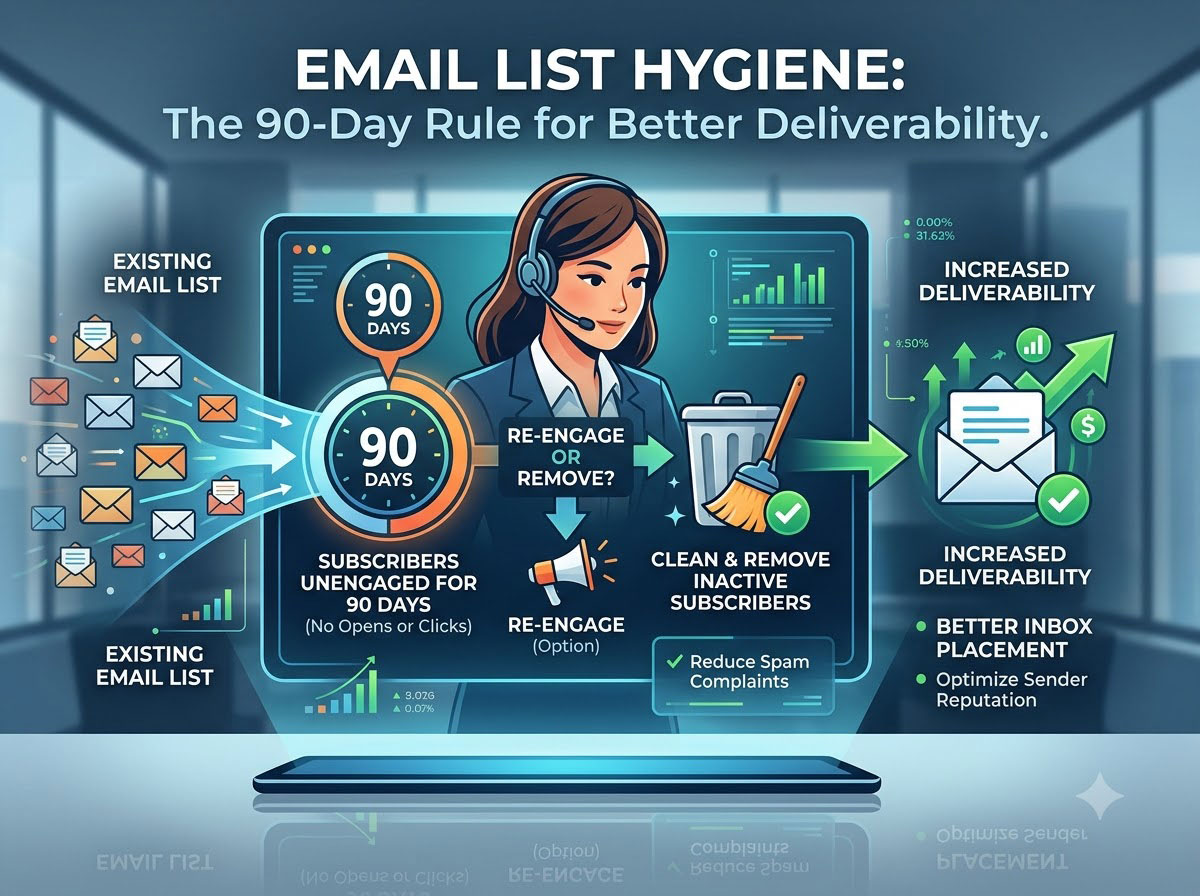
Email List Hygiene: The 90-Day Rule for Better Deliverability
Your email list can look healthy and still have a problem. The numbers may be growing. New subscribers may be joining every week. Your email platform may show thousands of contacts sitting neatly inside the database.
Then the open rates start slipping. A few more emails bounce. Spam complaints creep up. Some campaigns perform well, while others barely make it into the inbox. You may blame the subject line, the content, the timing or even the email platform.
Sometimes, the real problem sits quietly inside your database.
Your list has gone stale. Email addresses stop working. People change jobs. Old inboxes get abandoned. Subscribers lose interest. Some contacts forget why they signed up in the first place. Others may have interacted with you once and then disappeared for months.
That’s the role of email list hygiene. Regular clean-up keeps your database focused on people who are still reachable, still interested and willing to hear from you. And while there’s no magic number that works for every business, most email marketers find a 90-day review cycle a practical place to start.
What Is Email List Hygiene?
Email list hygiene means keeping your subscriber database clean, accurate and useful. That sounds simple. It isn’t always. A healthy email list contains people who gave you permission to contact them and whose addresses still work. It should also give you enough engagement data to understand whether those subscribers still want your emails.
A messy list shows a different picture. It may contain hard bounces, duplicate contacts, outdated addresses, inactive subscribers, role-based addresses, unsubscribed users and people who haven’t interacted with your emails for a very long time.
You don’t want to keep sending campaigns to all of them simply because your email platform charges you based on the number of contacts.
More contacts don’t automatically mean a better email programme. In fact, carrying thousands of dead or disengaged addresses can make your database look bigger while making your campaigns weaker. That’s a bad trade.
Why Should You Clean Your Email List Every 90 Days?
Think of 90 days as a regular inspection point. You don’t have to delete every subscriber who hasn’t opened an email within three months. That would be far too crude. Instead, you use the 90-day mark to look closely at what has happened inside your database.
Who joined?
Who engaged?
Who bounced?
Who unsubscribed?
Who hasn’t responded to anything?
Those answers tell you much more than the total number of subscribers.
A quarterly review also makes list cleaning manageable. If you wait two years, you may have a huge mess to sort through. If you check the database every few weeks, you can spend more time cleaning than actually running campaigns.
Ninety days sits somewhere in the middle. It gives your subscribers enough time to show a pattern without allowing inactive contacts to pile up indefinitely.
Google itself recommends that senders periodically confirm that recipients still want their messages and consider unsubscribing people who don’t open or read emails.
That doesn’t mean Google has declared 90 days to be the official cleaning deadline. It hasn’t.
The 90-day rule is better understood as a practical operating rhythm for marketers.
Your Email List Changes More Than You Think
Email databases are not static; they decay. People change companies and leave old work addresses. Personal inboxes are out. Someone may sign up for your newsletter while researching a product and then lose interest entirely.
Many addresses become invalid, while others are technically valid but never engage. And temporary problems are possible. For example, someone’s standard mailbox can be full. A server may temporarily refuse a message.
An address can soft bounce today and be fine next week. That’s why good list hygiene isn’t about clicking a big red “Delete Inactive Contacts” button.
You have to know what’s going on first. A hard bounce generally calls for immediate attention. You need more context on a non-active subscriber. A person who clicked three links recently but didn’t open your last two emails is different from a person who hasn’t interacted with you for a year. Treating both people equally makes very little sense.
What Happens When You Keep Sending to Bad Addresses?
Bad addresses can hurt your email programme in several ways. First, they increase your bounce rate. When you repeatedly send messages to addresses that don’t exist or can’t receive mail, mailbox providers get less confidence in your sending practices. Your delivery problems can then become harder to fix.
Second, inactive contacts can hurt engagement. Say you send an email to 50,000 people, but 15,000 haven’t engaged with you in months. Your campaign might get into a lot of inboxes, but a lot of those people won’t care.
That weak response becomes part of the bigger picture mailbox providers use to evaluate incoming mail. Spam complaints create another problem. If people don’t remember subscribing to your emails, or they don’t want them anymore, they may hit the spam button instead of searching for an unsubscribe link.
That’s exactly what you want to avoid. Google currently recommends keeping reported spam rates below 0.10% and avoiding rates of 0.30% or higher for bulk senders.
The lesson is straightforward. Don’t keep mailing people who clearly don’t want your mail.
A Clean List Can Improve Deliverability
Deliverability isn’t simply about whether your email was accepted by the receiving server. The bigger question is whether your message reaches the inbox.
Several things influence that outcome, including authentication, sending reputation, engagement, spam complaints, bounce behaviour, sending patterns and the quality of your recipient list.
List hygiene doesn’t solve every deliverability problem. It does remove one major source of trouble.
A cleaner database lets you concentrate your sending activity on people who actually signed up and still have some interest in your messages. That gives your campaigns a better chance of generating meaningful engagement while reducing unnecessary bounces and complaints.
Google’s sender guidance also emphasises sending to people who opted in, making it easy to unsubscribe and periodically review subscribers who don’t engage.
That’s a much healthier approach than chasing a large database simply for the sake of having one.
What Should You Look for During a 90-Day clean-up?
A quarterly review should cover more than inactive subscribers. Start with the obvious problems.
1. Remove Hard Bounces
Hard bounces usually indicate a permanent delivery problem. The address may not exist, the domain may be invalid or the recipient may no longer have that mailbox. Don’t keep sending to these addresses.
Your email service provider will usually identify hard bounces automatically, but check your suppression and bounce settings anyway. You want permanently undeliverable addresses kept out of future campaigns.
2. Review Soft Bounces
A soft bounce doesn’t always mean there’s something wrong with the email address. The recipient’s inbox could be full, the mail server might be having a temporary problem or the message could have been rejected for another short-term reason.
So don’t remove an address after one failed delivery. Instead, watch what happens over the next few campaigns. If the same address keeps bouncing, it’s probably worth taking it off your active list.
3. Find Inactive Subscribers
And this is where the 90-day rule comes in handy. Create a segment of subscribers who have not opened, clicked, replied, purchased or otherwise engaged with your emails in the last 90 days.
Then look deeper. Someone who receives one email a month may not open every message but could still be a valuable subscriber. Someone who receives three emails a week and hasn’t clicked anything for six months presents a different picture. Don’t confuse low activity with zero value.
4. Run a Re-engagement Campaign
Before removing long-term inactive subscribers, give them a chance to speak up. Keep the campaign simple. Tell them what they’re currently subscribed to. Ask whether they still want to hear from you. Give them an easy way to stay subscribed or leave.
You don’t need a dramatic 5-email farewell sequence. One clear message may be enough. Often a clever subject line that obscures the point is less useful than something like “Still want these emails?”
If someone responds or clicks, keep them. If they don’t, you have stronger evidence that the relationship has gone cold.
5. Check Unsubscribed Contacts
Keep unsubscribed people suppressed. Don’t accidentally add them back in another way, like a spreadsheet upload, CRM sync or third-party integration. This is basic, but it happens. There may be multiple systems feeding your email database, so make sure that unsubscribing in one place doesn’t mean re-subscribing in another.
6. Look for Duplicate Contacts
Duplicate records can negatively impact your reporting and waste sending volume. If a person appears twice, it may be because they used a different form, registered with a second email address or entered their information differently. This is why I always recommend your clean-up process should be able to identify obvious duplicates and have a sensible way to deal with them.
Don’t Delete Every Subscriber Who Doesn’t Open
Deleting every subscriber who does not open is one of the easiest mistakes to make. An unopened email doesn’t necessarily mean an uninterested subscriber.
Email clients have changed the way they handle tracking. Privacy features can also make open-rate data less reliable than it once was. Google specifically notes that it doesn’t track open rates itself and can’t verify the accuracy of open rates reported by third parties.
So don’t base your entire cleaning strategy on one metric. Look at clicks, replies, purchases, website activity when you can reliably connect it to the subscriber, recent form activity and how often the person gets your emails.
The more pieces of evidence you have, the better your decision will be. Your database isn’t a school register where everyone either passes or fails. People behave differently.
Your 90-Day Rule Shouldn’t Be Too Rigid
Here’s where I would push back against the idea of a universal 90-day deletion rule. There isn’t one.
A business newsletter sent three times a week has a different engagement pattern from a company that sends one useful update every month.
A travel company might have subscribers that only book once a year. A B2B software company, for example, has prospects that take months to decide to buy. You could have a retailer with customers who buy several times a month.
The same inactivity period won’t make sense for all of them. Use 90 days as a review point, not an automatic execution date.
For a high-frequency promotional list, 90 days of complete inactivity may be a strong warning sign. You may need a longer window if the newsletter is low frequency. That’s why good list hygiene requires judgement.
What a 90-Day Email List Hygiene Checklist Looks Like
A quarterly clean-up doesn’t need to become a major project. Run through the database in a consistent order.
- Check your deliverability data. Review bounce rates, spam complaints, delivery failures and other warning signs from recent campaigns.
- Suppress hard bounces. Remove permanently undeliverable addresses from active sending.
- Review repeated soft bounces. Look for addresses that repeatedly fail to receive your messages.
- Segment inactive subscribers. Create a segment based on your chosen inactivity period, starting with 90 days if it fits your sending frequency.
- Review engagement beyond opens. Consider clicks, replies, purchases, site activity and other meaningful actions.
- Send a re-engagement email. Give inactive subscribers a clear opportunity to remain on your list.
- Suppress unresponsive people. Stop mailing if they don’t do anything after a reasonable re-engagement effort.
- Check unsubscribes. Make sure suppressed contacts stay suppressed across your systems.
- Clean duplicates. Remove or merge duplicate records where appropriate.
- Review acquisition sources. Look at where your least engaged contacts came from. A particular form, campaign, partner or acquisition channel may be bringing in poor-quality subscribers.
That last step often gets overlooked, but it shouldn’t. If one source repeatedly gives you contacts who never engage, the problem may start before those people even enter your database.
List Hygiene Starts Before Someone Joins Your List
You can’t clean your way out of poor list acquisition.
If you collect addresses through questionable methods, your database will eventually reflect that decision.
- Don’t buy email lists.
- Don’t scrape addresses from websites.
- Don’t automatically subscribe people because they downloaded something unrelated.
- Get clear permission.
- Set expectations.
- Tell people what they’re signing up for and how often you intend to contact them.
According to Google’s current guidance, you should obtain clear consent, avoid purchased addresses and make it easy for recipients to unsubscribe. A clean list begins with a clean acquisition process. That’s worth remembering.
Make Unsubscribing Easy
Some marketers treat unsubscribes like lost customers. That’s the wrong mindset.
An unsubscribe is useful information. Someone is telling you they don’t want your messages anymore. Respect that answer and remove them from the relevant mailing list.
If you make the process difficult, you can actually push people toward the spam button. For bulk senders, Gmail requires marketing and subscribed messages to support one-click unsubscribing, along with a clearly visible unsubscribe link in the message body. Google also recommends honouring unsubscribe requests within 48 hours.
A clean unsubscribe process protects the people who want to stay. It also protects your sending reputation.
What Should You Measure After Cleaning Your List?
Don’t clean your database and then forget about it. Compare your performance before and after the clean-up. Look at:
- Bounce rate
- Spam complaint rate
- Click-through rate
- Conversion rate
- Unsubscribe rate
- Delivery rate
- Engagement by subscriber segment
- Revenue or leads generated per campaign
Don’t expect every number to jump overnight. In some cases, your total subscriber count will fall. That can look bad on a spreadsheet. It may actually be a good sign.
If you cut 10,000 inactive contacts and your next campaign hits 40,000 people instead of 50,000, a smaller audience does not mean your email programme is automatically worse. If those 40,000 subscribers are more engaged, your campaign may result in better clicks, conversions and revenue. A smaller list can be more effective.
The Real Goal Isn’t a Smaller List
Email list hygiene isn’t about deleting people. It’s about improving the quality of the audience you’re sending to.
The 90-day review gives you a regular opportunity to spot problems before they become expensive. You can identify dead addresses, investigate inactive subscribers, run re-engagement campaigns, protect unsubscribed contacts and understand which acquisition sources bring genuine subscribers.
And you don’t have to wait 90 days to correct a glaring issue. If an address hard bounces today, take care of it today. And if someone unsubscribes, respect it. If you see a spike in spam complaints, investigate immediately.
The quarterly review is your scheduled maintenance. It isn’t permission to ignore problems between reviews.
A Clean List Is Worth More Than a Big List
Email marketing rewards relevance. People who want your emails are more likely to read them, click your links, reply to you, visit your website and eventually buy from you. People who don’t want your emails create the opposite effect.
That’s why I wouldn’t chase subscriber count as the main measure of list health. I’d rather have 20,000 engaged subscribers than 100,000 names that nobody has interacted with for years.
The difference shows up in the numbers that actually matter. So put a 90-day list review on your calendar.
Check the bounces. Study the inactive segment. Re-engage people before you remove them. Keep unsubscribes suppressed. Review where your subscribers came from. Then measure what changed.
Do it again three months later. Over time, this simple habit can keep your database leaner, your campaigns more relevant and your deliverability in much better shape.
That’s the real value of the 90-day rule. Not a bigger list. A healthier one.
Ready to send campaigns that convert?
Try ASP OL Media free for 14 days — no credit card required.